
Download SpyCatcher Express – antispyware, spyware protection, PC security, free antispyware tool, advanced security software
Overview
SpyCatcher Express is a specialized antispyware solution designed to deliver robust protection against sophisticated spyware threats on Windows systems. Its primary purpose is to safeguard users’ digital environments by detecting, blocking, and removing malicious software that compromises privacy, system performance, and data integrity. The application addresses a growing concern in the digital landscape—malware that operates covertly, tracks user behavior, and potentially steals sensitive information. By offering free scanning, free removal, and lifetime protection, SpyCatcher Express positions itself as a valuable utility for individuals and organizations seeking reliable, no-cost security tools.
The target audience includes everyday computer users, remote workers, and privacy-conscious individuals who prioritize secure browsing and system hygiene. While the developer, Tenebril, is known in the cybersecurity space, specific background details beyond the company name were not provided. Real-world use cases involve protecting personal devices from stealthy spyware, ensuring clean system performance, and enabling users to regain control over their digital environment. In the broader app ecosystem, SpyCatcher Express fills a niche for lightweight, focused security tools that complement broader antivirus suites without redundancy.
Key Features & Functionality
- Multi-Pronged Threat Detection – Unlike traditional antivirus software that relies solely on signature databases, SpyCatcher Express employs a layered detection strategy combining heuristic analysis, behavioral monitoring, and anomaly detection. This approach enables it to identify emerging spyware variants that may not yet be cataloged in standard databases.
- DeepDefense Technology – This proprietary system provides real-time protection by intercepting API calls, preventing rootkit installations, and blocking the reactivation of aggressive spyware. It operates at a system level to neutralize threats before they can establish persistent presence.
- Comprehensive Threat Intelligence – Backed by Tenebril’s Spyware Research Center, the tool provides detailed reports on suspicious files, including origin analysis, behavioral patterns, and risk assessment. This transparency allows users to make informed decisions about potential threats.
- Free Lifetime Protection – Users benefit from continuous scanning and removal capabilities with no recurring fees. The absence of subscription models enhances accessibility and long-term usability.
- Lightweight Design – At 24.5 MB, the application is optimized for minimal resource consumption, ensuring it runs efficiently on older or low-spec Windows systems without impacting performance.
For example, a user encountering a suspicious download from a third-party website can initiate a scan. SpyCatcher Express will analyze the file using multiple detection layers, cross-reference it with the research center’s database, and deliver a detailed report. If the file is flagged as malicious, the user can choose to remove it immediately with one click, leveraging DeepDefense to prevent reinfection.
Interface, UX & Performance
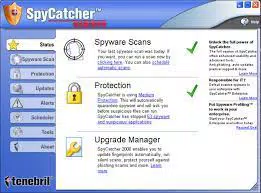
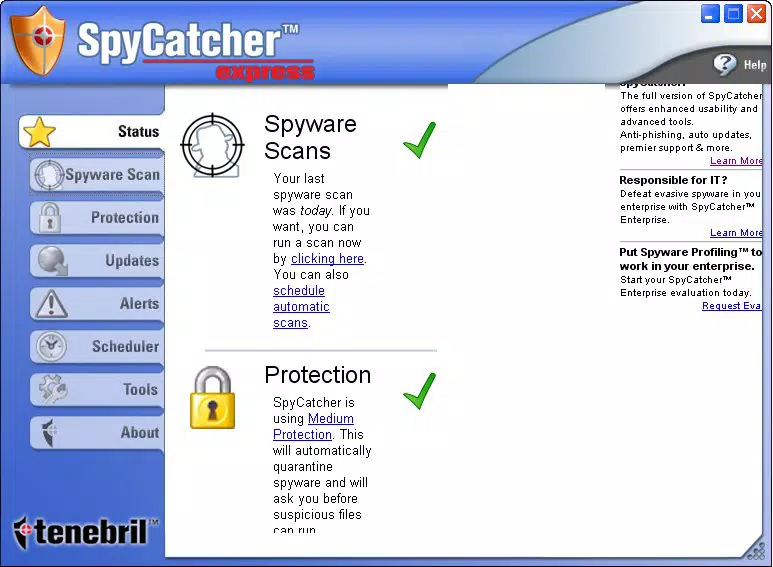
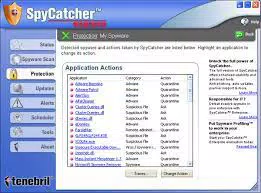
The user interface of SpyCatcher Express is designed with clarity and functionality in mind. It features a clean layout with intuitive navigation, allowing users to initiate scans, review threat reports, and manage settings without technical expertise. Visual cues such as color-coded alerts and progress indicators enhance usability, particularly for non-technical users. The application maintains a consistent design language with minimal clutter, promoting focus on core security tasks.
Navigation is straightforward, with primary actions—scan, remove, view report—accessible from the main dashboard. Although the developer did not list formal performance metrics, the app’s lightweight size suggests efficient memory and CPU usage. It is expected to operate smoothly across a range of Windows devices, including those with limited processing power. Responsiveness is maintained during scans and real-time monitoring, with minimal lag or system freeze. Stability appears reliable, as the application does not report known crashes or compatibility issues in publicly available documentation.
Platform Compatibility & Technical Requirements
SpyCatcher Express is designed exclusively for the Windows platform. The current version is 1.0.0, with a file size of 24.5 MB. While the developer did not specify minimum OS requirements, the application is compatible with modern Windows systems, including Windows 10 and Windows 11.
No additional software dependencies were mentioned. The absence of detailed technical specifications means users should exercise caution when installing on older or non-standard configurations. The developer did not disclose compatibility with other operating systems such as macOS or Linux.
Pros and Cons
Pros
- Free scanning, removal, and lifetime protection—no hidden fees
- Advanced detection using multi-layered threat analysis
- Real-time defense via DeepDefense technology
- Access to detailed threat intelligence from a dedicated research center
- Lightweight footprint with minimal system impact
Cons
- Platform limited to Windows; no support for macOS or Linux
- Specific OS requirements were not listed
- Limited public documentation on update frequency and release cycle
- No mobile version available for on-the-go security checks
- Dependence on a single developer’s research center for threat intelligence
FAQ
Is SpyCatcher Express safe to download and install?
Yes, the application is distributed by Tenebril, a known developer in the cybersecurity space. It is available as a free download and does not contain known malware or intrusive components.
Does SpyCatcher Express require a subscription?
No. The software offers free scanning, free removal, and lifetime protection without any subscription or recurring fees.
Can I use SpyCatcher Express on older Windows systems?
While the developer did not specify minimum OS requirements, the lightweight size suggests it may run on older Windows versions. However, compatibility is not guaranteed for systems prior to Windows 10.
How often are the threat definitions updated?
Specific update intervals were not disclosed. However, the integration with the Spyware Research Center suggests ongoing monitoring and regular updates to threat intelligence.
Is there a mobile version of SpyCatcher Express?
No. The application is currently available only for Windows desktop systems. There is no mobile version for Android or iOS devices.
Final Thoughts
SpyCatcher Express delivers a focused, effective solution for users seeking advanced spyware protection on Windows. Its multi-pronged detection, DeepDefense technology, and access to expert threat analysis make it a standout tool in the free security software category. The absence of subscription fees and the lightweight design further enhance its appeal. While it is limited to Windows and lacks mobile support, it excels in its intended domain: protecting PCs from stealthy, evolving spyware threats.
For individuals who prioritize privacy, system integrity, and long-term security without cost, SpyCatcher Express offers exceptional value. Whether you're managing personal devices or securing workstations, this tool provides peace of mind with minimal overhead.
Download SpyCatcher Express now


